
Key Takeaways
- Android, iOS and browser routes need different checks.
- Unknown APK files can be risky.
- Mobile browser access can be safer when the app source is unclear.
Mobile access needs extra care
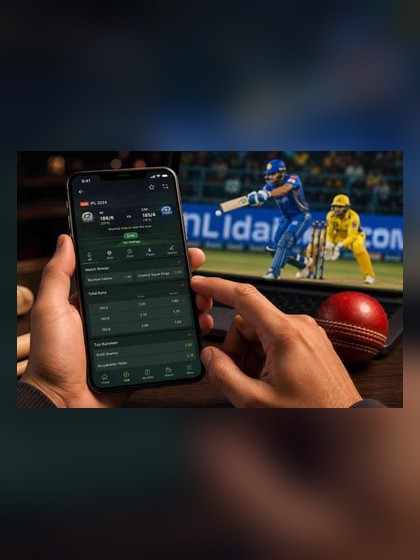
Many Indian users prefer mobile access because it is convenient for login, games, payment checks and support. Convenience should not replace caution. A mobile device also stores messages, payment apps, contacts and personal files, so unsafe downloads can create wider risk. Before using BetWinner on mobile, check the domain, page purpose, device lock and browser version. If the route looks different from what you expected, stop and verify before entering account details.
Android app guidance
Android users may sometimes see app or APK references, but this site does not promise that a file is always available. Avoid downloads from unknown websites, comment sections, file-sharing groups or accounts promising special rewards. Review permissions before installation and do not grant access that seems unrelated to normal app use. If the device blocks installation, do not force it through unsafe settings. Browser access is often the better option when the source is unclear.
iOS and browser access
iPhone users can normally use Safari or another updated mobile browser when a separate app is not available. Browser access can also help Android users who do not want to install files. Keep the browser updated, avoid public Wi-Fi for account actions and do not save login details on a borrowed phone. If the page asks for unusual permissions, banking credentials or private codes, close it. Mobile browser access should still follow the same login and payment safety rules.
Payments on mobile
Payments on a phone can feel quick because UPI and wallet apps may already be installed. That speed makes it even more important to slow down. Check account name, amount, transaction ID and current payment instructions before confirming anything. Never share UPI PIN, OTP, card PIN or banking password. Take screenshots only when they do not expose private codes. This site does not state any fixed withdrawal time, so do not rely on a promised processing speed from random messages.
Keep mobile play limited
Mobile games are easy to reopen, which can make sessions longer than planned. Set a time limit before opening the app or browser. Decide a budget and stop when it is reached. Avoid playing when travelling, distracted, tired or trying to recover a loss. BetWinner India information here is meant to help adult users make safer choices, not to push nonstop mobile use.
Safer play note: BetWinner information on this site is for adult users only. Results are never guaranteed. Set a budget, take breaks, do not chase losses and follow local laws in your area.
Open BetWinner Access only after you have checked the current page, account rules, payment notes and safety reminders.
Additional practical note
Mobile users should also think about notifications and privacy. Disable lock-screen previews if they expose account messages, and avoid showing payment app alerts around other people. If you use biometric unlock, keep a backup password that only you know. When changing phones, remove saved sessions from the old device. If the mobile page feels slow, do not refresh repeatedly during payment or verification actions. Wait for confirmation, record the transaction ID if needed and keep sensitive screenshots private. These habits are simple but reduce common mobile account risks.
App Troubleshooting List
- Storage low.
- Installation blocked.
- Old browser.
- Permissions warning.
- Unstable network.
Safety Warning
Do not install APK files from Telegram, WhatsApp groups, comments or unknown file pages.
Safer Play Reminder
18+ only. Keep a budget and time limit, stop when play feels stressful, and follow local rules in your area.